Finding Similar Products from One Photo — A Fashion Image Search PoC
TL;DR Fashion image search lets users find similar products from one photo even when they do not know the product name. The core idea is to convert product images into embedding vectors and compare them with the uploaded image.
Users do not always know the exact product name they want to search for. They may have a photo of a pair of shoes, an outerwear item from an outfit image, or a bag with a similar shape, but not the right keyword.
This PoC was built for that situation. A user uploads one image, the system extracts visual features, compares them with product image vectors in the catalog, and recommends similar products.

Why Image Search
Text search works well when product names, brands, categories, and colors are cleanly managed. Fashion products are different. The same product can be described in many ways: "white sneakers", "chunky sole shoes", or "daily casual shoes".
Image search reduces that gap. By comparing shape, color, silhouette, and pattern from the user's image, the system can find similar products even when the text query is incomplete.
Search Flow
The key is to treat product images as searchable vectors, not just static files.
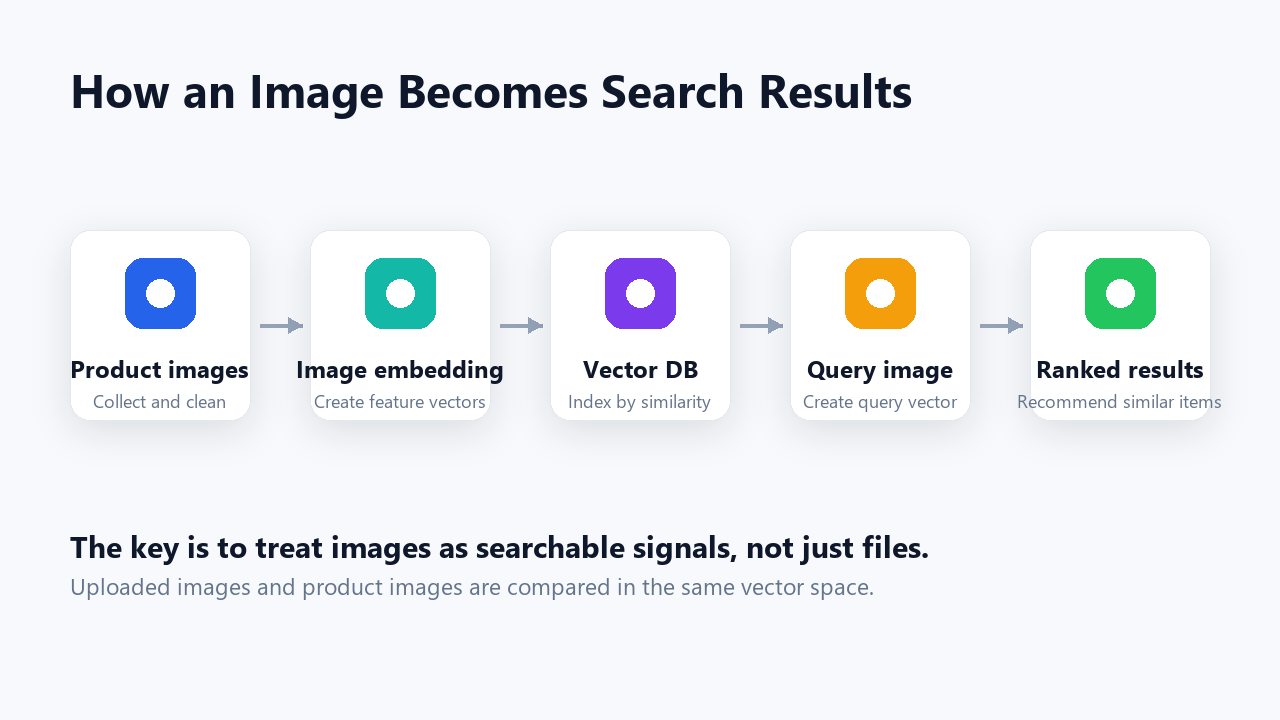
- Collect product images and organize them with categories.
- Generate feature vectors through an image embedding model.
- Store product IDs, categories, image paths, and embeddings in a vector DB.
- Convert the uploaded query image into a vector in the same way.
- Rank products by vector similarity and return the closest matches.
In this structure, the search does not depend only on exact keywords. The image itself becomes the search signal.
Product Search Screen
Users can upload an image or search by product name. Category filters help narrow the result set.

Search results are shown with similarity scores. Operators can review whether the recommendations are close to the intended product group and adjust image quality, category data, and embedding status.
Searching with Outfit Images
Real users are more likely to have outfit photos or field photos than clean front-facing product images. The test screen was designed to check whether the system can find similar products from an uploaded image.
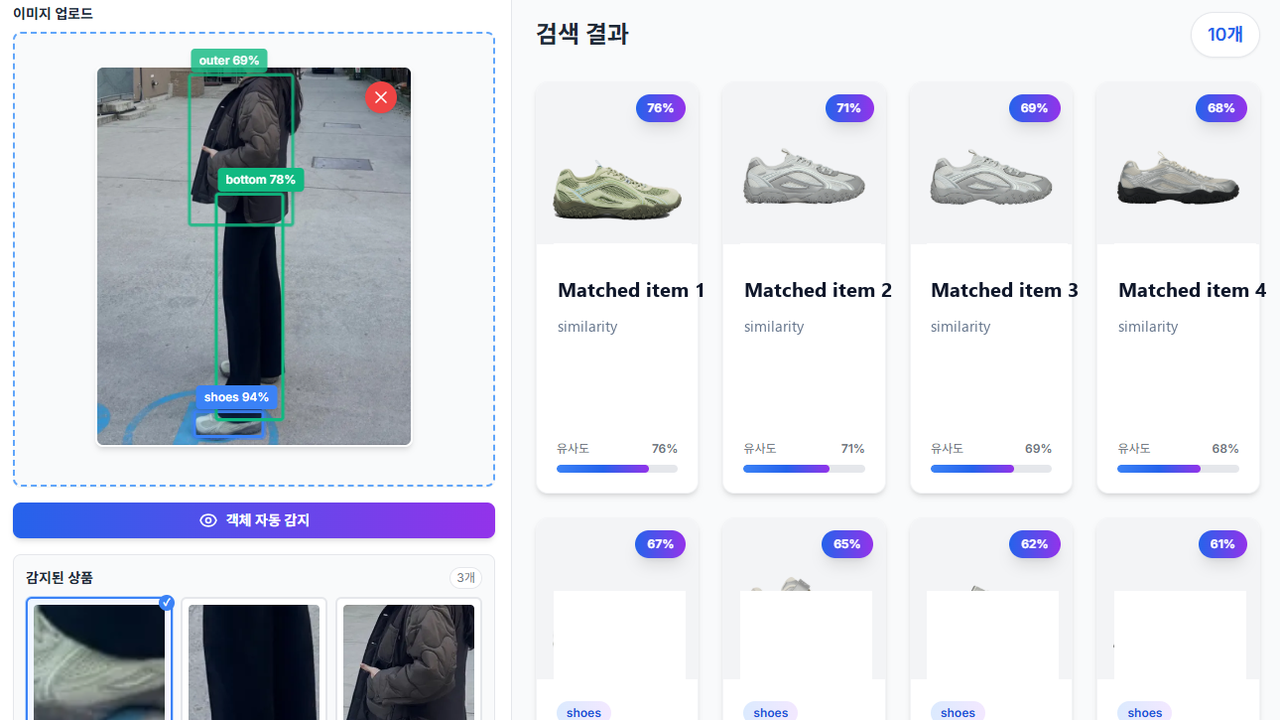
Improving the result quality is not just about changing the model. Backgrounds, angles, resolution, and category quality also matter. In a PoC, these quality factors need to be visible early.
Product Management and Embedding Refresh
In an image search service, the management screen is as important as the search screen. If product images change but embeddings are not refreshed, search results will still be based on old data.

The product management screen needs to show image count, embedding status, and review status together. After a product is added or images are updated, embeddings should be regenerated so the search result reflects the latest data.
What the PoC Validated
The goal of this PoC was not to build a complete commerce service. It was to check whether image search could support product discovery in a practical workflow.
The validation points were straightforward: whether similar products appear quickly after image upload, whether category filters improve result quality, whether operators can understand image and embedding status, and whether new products can be reflected in search after registration.
Closing
Image search does not simply replace text search. It complements the moment when users cannot describe what they want in words.
For visually driven domains such as fashion, product images, catalog data, vector search, and management workflows need to work together. To become a real service, the system must support not only the result screen but also the operational flow for maintaining and refreshing images.
Subscribe to new posts
Follow new posts through the RSS or Atom feed.
Reactions and comments
Sign in with GitHub to comment and leave a reaction (like). Comments and GitHub usernames are public; editing, deletion, and reporting are handled through GitHub Discussions.