2 posts tagged with "Vision AI"

Image analysis, multimodal AI, and image search

View all tags

Field Safety Inspection PoC with a Multimodal LLM

· 3 min read
Minisoft AI Platform Tech Blog Author

TL;DR A multimodal LLM can be useful as an assistant that quickly summarizes possible risk factors from site photos. Final safety judgment still needs verifiable criteria and human confirmation.

Testing safety inspection support with site photos and safety-rule prompts​

Field safety inspections still depend heavily on human experience and manual work. Inspectors need to review site photos, check protective equipment and risk factors, and then write the findings into a report.

Recent multimodal LLMs can understand images and text together. This PoC explored whether site photos and safety-rule prompts can be used to support safety checks and draft inspection reports.

Multimodal LLM safety inspection PoC

PoC Goals​

The goal was not to make final judgments about a specific site or device. The goal was to check whether a multimodal LLM can act as an assistant for industrial safety inspection.

  • Validate whether safety rules can be checked from site photos
  • Check whether rules can be applied through prompts without separate model training
  • Explore risk summarization and inspection report drafting
  • Consider future expansion into video-based inspection flows

Approach​

The input flow was intentionally simple. A site photo was provided with a prompt containing safety rules and the desired output format. The model was asked to identify visible workers, protective equipment, and risk factors, then return a structured inspection result.

Site photo to safety report architecture

The advantage of this approach is that teams can experiment without first preparing a dedicated training dataset or a specialized vision model. By changing the prompt, the inspection criteria and output format can be adjusted quickly.

What We Found​

The PoC confirmed several useful possibilities.

  • Helmet usage could be identified.
  • Safety vest usage could be identified.
  • The approximate number of workers in the photo could be estimated.
  • Visible risk factors could be summarized.
  • Inspection results could be organized into a report format.

There were also clear limits. Accuracy dropped with low-resolution images, distant workers could be missed, and small or partially hidden details such as safety harness fastening were difficult to judge reliably.

PoC findings and limits

Insight​

In this test, the multimodal LLM was more suitable as an inspection assistant than as a final decision maker. It was useful for summarizing visible risk candidates and organizing the items that a human inspector should review.

Report drafting was especially promising. Instead of writing every finding from scratch after reviewing photos, inspectors can start from a generated draft and focus on final confirmation and correction.

Future Expansion​

The next step is to explore a flow that extracts snapshots from CCTV, drone, or mobile video and uses them for periodic safety inspection support.

The point is not to let AI replace all safety judgment. Field safety requires responsibility and context. A realistic starting point is to use AI to support repetitive inspection, summarize risk candidates, and help people focus on more important decisions.

Closing​

Multimodal LLMs show potential for interpreting site photos together with safety rules. They are not reliable enough to judge every situation on their own, but they are worth testing for safety inspection assistance and report automation.

In industrial safety, AI can start by helping people see faster and record more consistently, rather than replacing human responsibility.

References​

Finding Similar Products from One Photo — A Fashion Image Search PoC

· 4 min read
Minisoft AI Platform Tech Blog Author

TL;DR Fashion image search lets users find similar products from one photo even when they do not know the product name. The core idea is to convert product images into embedding vectors and compare them with the uploaded image.

Users do not always know the exact product name they want to search for. They may have a photo of a pair of shoes, an outerwear item from an outfit image, or a bag with a similar shape, but not the right keyword.

This PoC was built for that situation. A user uploads one image, the system extracts visual features, compares them with product image vectors in the catalog, and recommends similar products.

Fashion Product Image Search

Text search works well when product names, brands, categories, and colors are cleanly managed. Fashion products are different. The same product can be described in many ways: "white sneakers", "chunky sole shoes", or "daily casual shoes".

Image search reduces that gap. By comparing shape, color, silhouette, and pattern from the user's image, the system can find similar products even when the text query is incomplete.

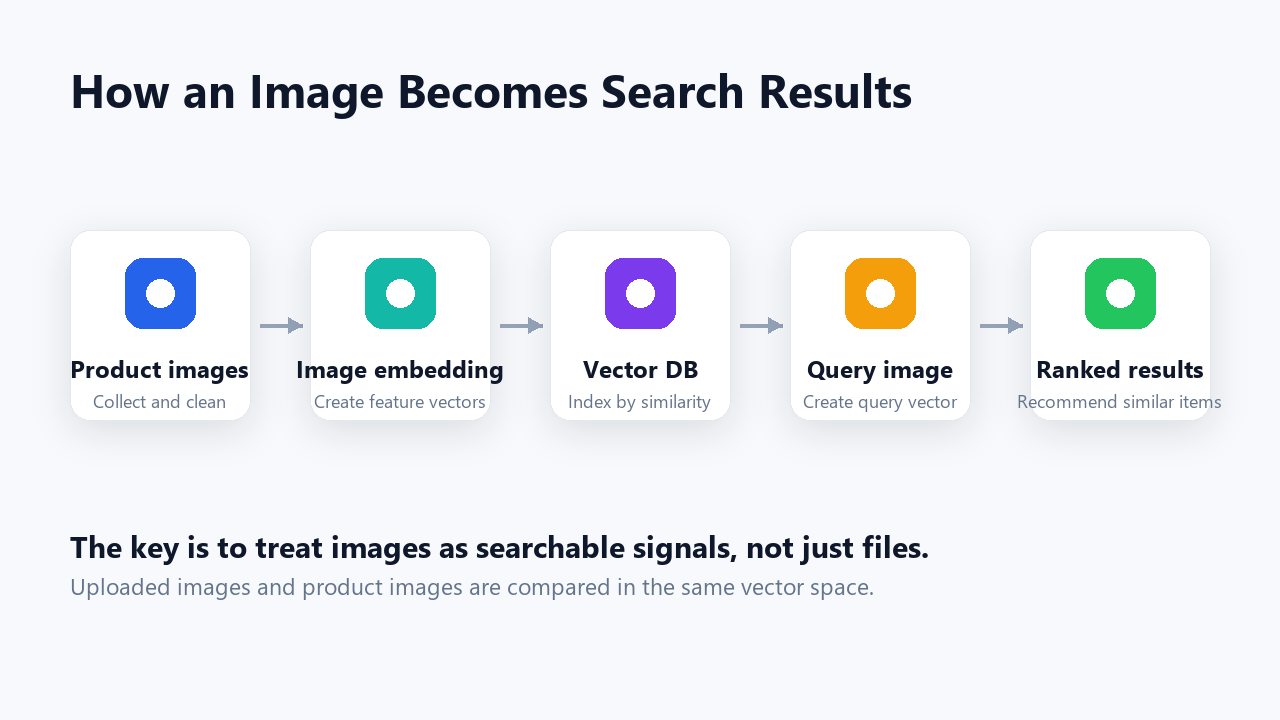
Search Flow​

The key is to treat product images as searchable vectors, not just static files.

How an Image Becomes Search Results

  1. Collect product images and organize them with categories.
  2. Generate feature vectors through an image embedding model.
  3. Store product IDs, categories, image paths, and embeddings in a vector DB.
  4. Convert the uploaded query image into a vector in the same way.
  5. Rank products by vector similarity and return the closest matches.

In this structure, the search does not depend only on exact keywords. The image itself becomes the search signal.

Product Search Screen​

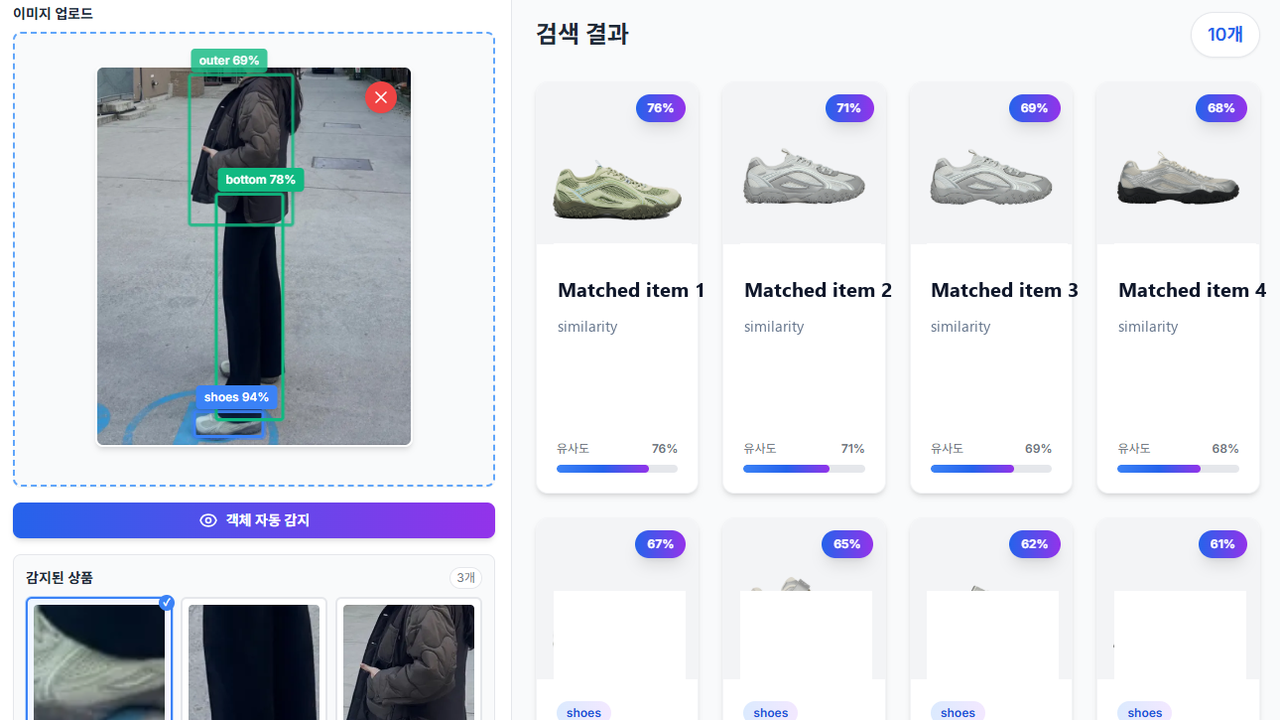
Users can upload an image or search by product name. Category filters help narrow the result set.

Product Search Screen

Search results are shown with similarity scores. Operators can review whether the recommendations are close to the intended product group and adjust image quality, category data, and embedding status.

Searching with Outfit Images​

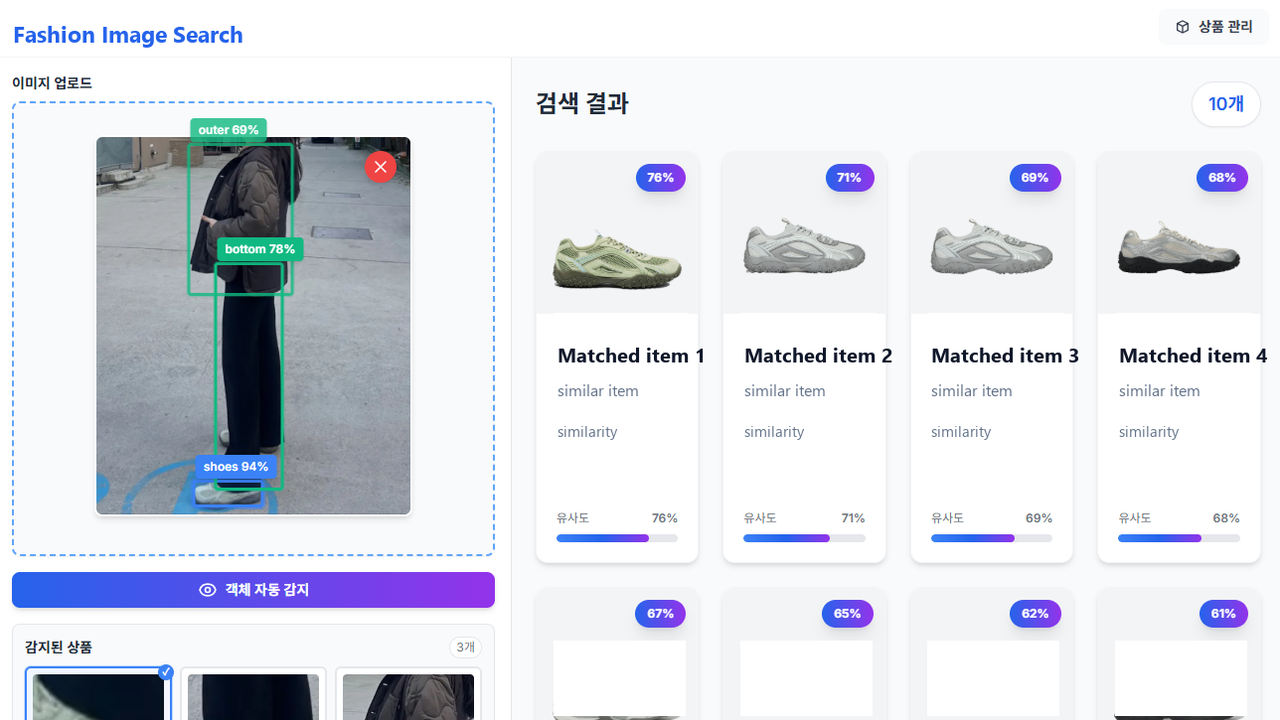
Real users are more likely to have outfit photos or field photos than clean front-facing product images. The test screen was designed to check whether the system can find similar products from an uploaded image.

Outfit Image Search Test

Improving the result quality is not just about changing the model. Backgrounds, angles, resolution, and category quality also matter. In a PoC, these quality factors need to be visible early.

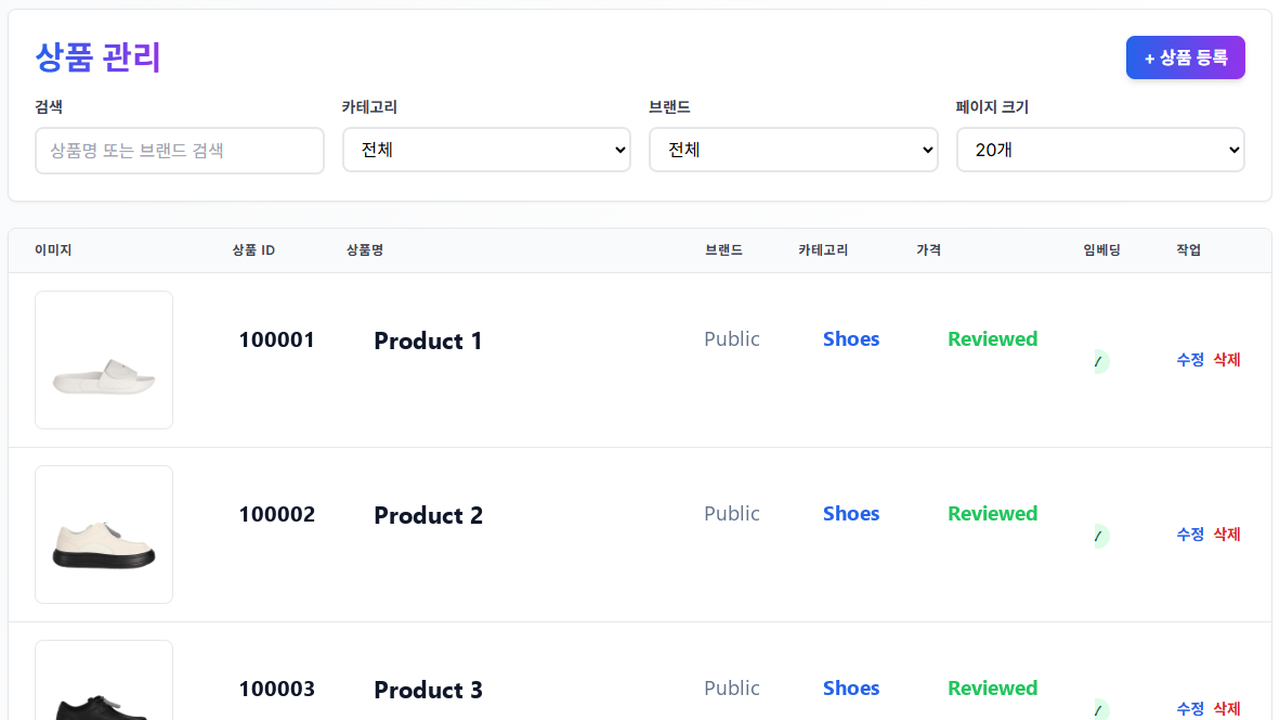
Product Management and Embedding Refresh​

In an image search service, the management screen is as important as the search screen. If product images change but embeddings are not refreshed, search results will still be based on old data.

Product Management Screen

The product management screen needs to show image count, embedding status, and review status together. After a product is added or images are updated, embeddings should be regenerated so the search result reflects the latest data.

What the PoC Validated​

The goal of this PoC was not to build a complete commerce service. It was to check whether image search could support product discovery in a practical workflow.

The validation points were straightforward: whether similar products appear quickly after image upload, whether category filters improve result quality, whether operators can understand image and embedding status, and whether new products can be reflected in search after registration.

Closing​

Image search does not simply replace text search. It complements the moment when users cannot describe what they want in words.

For visually driven domains such as fashion, product images, catalog data, vector search, and management workflows need to work together. To become a real service, the system must support not only the result screen but also the operational flow for maintaining and refreshing images.