
4 posts tagged with "Document AI"

RAG, OCR, document understanding, and knowledge retrieval

View all tags

HWP to PDF on the Server — miwork hangul

· 4 min read
Minisoft AI Platform Tech Blog Author

miwork hangul converts HWP documents to PDF on a server and lets users review the result directly in a web browser.
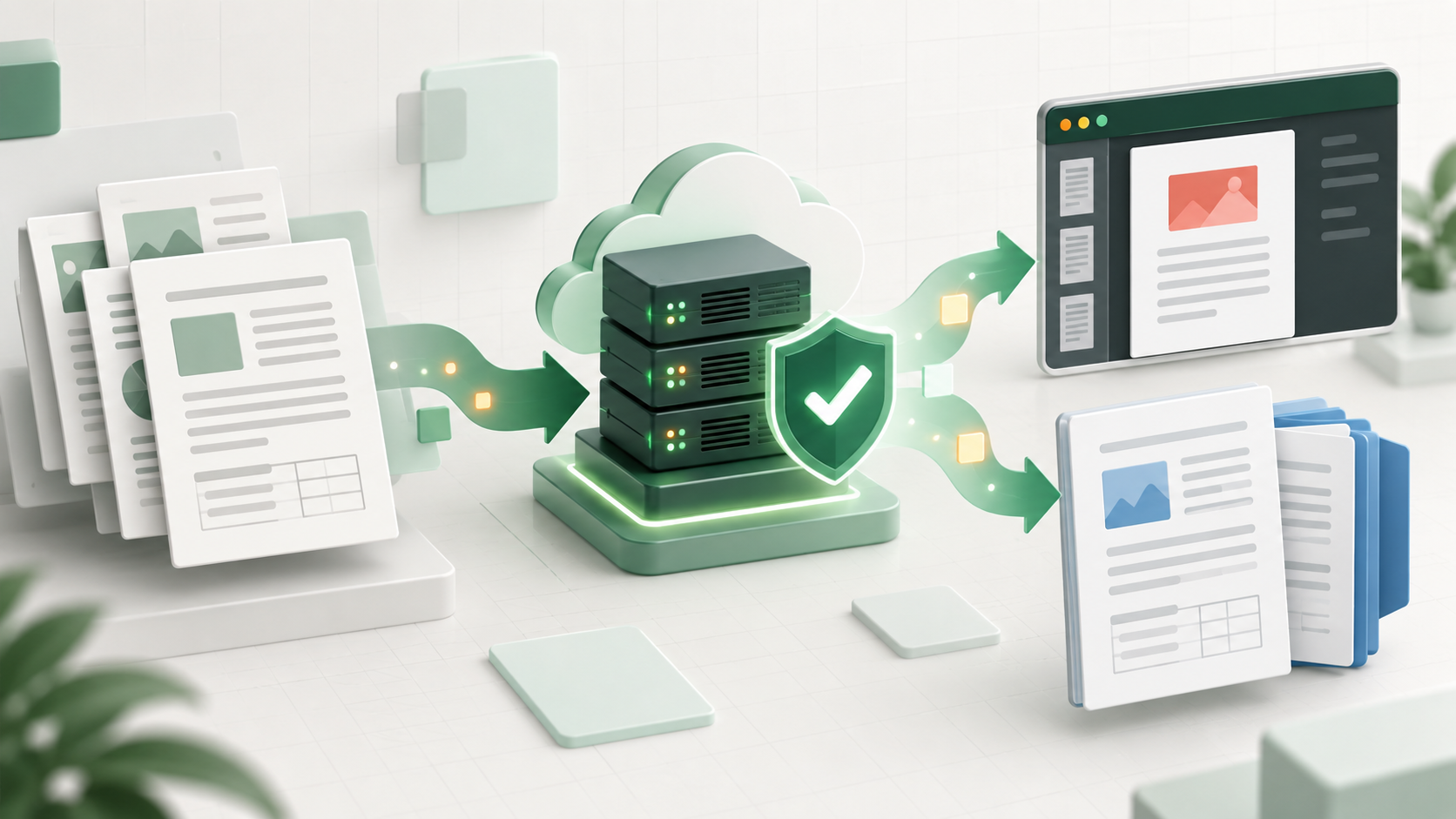
HWP documents converted to PDF and HWPX on a server

Opening one or two Hangul documents and saving them as PDF is familiar work. The situation changes when hundreds or thousands of documents must be converted in batches or prepared as searchable data.

Each document has to be opened and saved, and someone must investigate whenever the process stops. Extracting text for search or generating document previews presents the same challenge. miwork hangul began as an effort to turn this work into a repeatable server-side document processing capability.

Why HWP to PDF comes first​

Once a PDF is available, users can review the document in a browser without installing a separate application. It also becomes easier to connect the result to search previews, document archives, and other downstream workflows.

Uploaded PDFs can also be reconstructed as HWPX. Rather than perfectly restoring every element of the original editing structure, this feature focuses on creating a practical, editable document from the text and images in a PDF.

Why Hangul document conversion is difficult​

An HWP file is more than a collection of text. Fonts, character styles, paragraphs, tables, shapes, images, headers and footers, footnotes, and page layout information all contribute to the rendered result. Even with identical text, differences in available fonts or layout calculations can change line breaks and page counts.

It is also not a format that exposes a browser-standard DOM in the way HTML does. Hancom provides an HWP Automation development guide and open-source resources related to HWPX and OWPML, but desktop automation and large-scale processing on Linux servers require different runtime environments and system designs.

This is not about a shortcoming in a particular product. It is a technical challenge that comes with reproducing a long-established document format across different environments.

Expanding the range of supported documents​

Over the past six months, we compared conversion results from a wide range of HWP documents and expanded the supported cases. Our internal tests now show a conversion success rate above 80%. Here, success means that conversion completes without an error and the principal text and page structure can be reviewed.

The HWP interpretation and PDF generation improvements developed through this work have also been incorporated into SoliDocs Viewer's Hangul document viewing capabilities. More demanding cases remain, including complex charts and equations, special objects, document-specific fonts, and precise page layouts. Documents that users agree to retain through the demo, together with the problem areas they mark, will be analyzed by type to improve these remaining cases.

The success rate is an observation based on our current internal test set, not a product guarantee. Results can vary depending on document structure, fonts, and object types, and the measurement will be updated as the test set grows.

Server-side applications​

miwork hangul runs in a Linux container without requiring the Hangul desktop application and can be connected through a server API. It can support batch PDF generation, web previews, and preprocessing for RAG and document AI workflows.

Check with an actual document​

The miwork hangul demo lets users convert HWP and HWPX documents to PDF, review them in a browser, and download the result. Users can mark the page and type of any mismatch they find, and can also try reconstructing a PDF as an editable HWPX document.

Open the miwork hangul demo →

miwork.ai is open — connecting documents, AI agents, and work apps

· 4 min read
Minisoft AI Platform Tech Blog Author

TL;DR Minisoft's official MiWork site, miwork.ai, is now open. It brings together MiWork OCR for turning documents into usable data, MiWork Agents for connecting organizational knowledge to work, and MiWork VibeHub for building and operating internal apps.

Why open a separate site​

When a company starts applying AI to work, the questions usually fall into three groups:

  • How do we read and use scattered PDF, HWP, and Office documents?
  • How do we connect organizational knowledge and work tools to AI answers and actions?
  • How do we build, review, deploy, and operate the small apps that teams actually need?

MiWork brings these questions into one work-solution family instead of leaving them as a disconnected product list. Each solution can be explored and adopted independently, with a clear place to start for a specific problem.

MiWork OCR — documents into data​

MiWork OCR converts PDFs and images as well as HWP/HWPX, Word, PowerPoint, Excel, and HTML into structured, page-level results.

Short jobs can return immediately, while longer documents can be submitted and tracked until the result is ready. The product page also describes table handling and configurable OCR engines for different document types and accuracy/speed requirements.

Before a document can become searchable knowledge or feed a downstream AI workflow, it has to be read and structured reliably. MiWork OCR covers that first step.

MiWork Agents — from questions to action​

MiWork Agents is an enterprise AI agent workspace that connects organizational knowledge and work tools.

It brings document search and RAG, team knowledge bases, personal file workspaces, shared chatbots, and tool connections into one environment. Answers can include their source documents and continue into file work or connected business actions when needed.

For enterprise AI, operating standards matter as much as model quality. MiWork Agents also considers user and team access control, separated execution environments, credential management, usage and budget visibility, and audit records.

MiWork VibeHub — ideas into work apps​

MiWork VibeHub connects the full lifecycle of internal apps: create, review, deploy, discover, and operate.

App users can find and run the tools they need from an app store and personal dashboard. Builders can start from templates or their own Git repositories and use AI coding tools and shared platform services. Reviewers and operators manage visibility, app membership, deployment and rollback, runtime status, and logs.

When a field idea becomes a cost calculator, bid analyzer, or inspection tool quickly, speed is only part of the problem. Teams also need to decide who can use it, what data it can see, and how it is deployed and rolled back. VibeHub provides that operating foundation.

How the three solutions connect​

Each product can stand alone, but the shared flow becomes clearer when they are used together.

Document upload
↓
MiWork OCR — structured data
↓
MiWork Agents — knowledge search, questions, and actions
↓
MiWork VibeHub — build, deploy, and operate the work app

Organizations do not have to adopt them in this order. Some will start with document processing; others will start with team knowledge search or internal app operations. The site describes the current scope of each solution and provides a path to request an introduction.

What you can see on miwork.ai today​

This opening is not a claim that the product story is finished. It is a starting point for explaining the work solutions we are building in one place. We will keep updating the site as the product scope and use cases become more concrete.

Closing​

MiWork is not meant to be another screen with an AI feature attached. The goal is a connected flow in which documents become knowledge, knowledge becomes action, and the tools teams need can be safely operated inside the organization.

Take a look at the current direction and product family on the official site. Starting with one recurring work problem is enough.

RAG Takes One Step Further - Using Graph RAG and OCR to Understand Complex Documents

· 5 min read
Minisoft AI Platform Tech Blog Author

TL;DR OCR turns text inside scanned or image-heavy documents into searchable text, while Graph RAG uses relationships between documents and entities. This helps with reports, contracts, and incident records where simple keyword search misses the context.

In the previous article, we compared RAG to a librarian. The librarian finds materials related to the user's question and hands them to the LLM. But what happens if the book that arrives at the library has no text at all, only images and tables? What if the materials are part of a complex event where many documents are connected to each other?

This article looks at the next two walls RAG runs into, and how OCR and Graph RAG help cross them.

How Graph RAG and OCR Connect​

Graph RAG OCR Architecture

OCR extracts text and table structure from documents, while Graph RAG connects the relationships between extracted entities. Vector search and answer generation sit on top of that flow.

The Limits of RAG That Only Finds Text​

The RAG we discussed earlier splits documents into small chunks, converts them into meaning-based numbers called vectors, and stores them. When a user asks a question, it finds chunks with similar meaning and sends them to the LLM.

The problem appears in two situations.

1. When the text is inside an image

Scanned PDFs, photographed contracts, quarterly reports full of tables. If text cannot be extracted, there are no chunks to split. It is like the librarian saying, "This book is only photos, so I cannot read it."

2. When materials are connected to each other

Consider a question like, "A similar process is happening at the site where an incident occurred last year. Which safety rules apply?" Incident records, process standards, and regulations are separate sources. If they stay separate, the answer does not come together. The librarian can find one book at a time, but may not connect the relationships between them.

OCR - A Librarian That Can Read Text Inside Images​

OCR solves the first wall. OCR stands for optical character recognition. It extracts text from images.

Modern OCR is not only about reading letters. The important part is recognizing table structure, paragraph position, and the hierarchy between headings and body text. This makes a large difference in fields that contain many dense tables, such as credit review documents, construction specifications, and medical imaging reports.

Once OCR extracts the text, the rest flows into the ordinary RAG process: split by meaning, convert into vectors, store, and search when a question arrives.

A flow that extracts text and tables from an image with OCR and stores them as vectors

Graph RAG - A Librarian That Sees Relationships Between Materials​

The second wall is Graph RAG. As the name suggests, it combines a graph database with RAG.

If ordinary RAG finds "chunks with similar meaning," Graph RAG also stores relationships between materials.

For example, suppose there is an incident called "2024 utility tunnel work incident." That incident may be connected to the following items.

  • Work process: "work at height"
  • Applicable regulation: "occupational safety regulation"
  • Safety rule: "mandatory fall-prevention harness connection"
  • Similar past incident: "2021 field incident"

When those relationships are tied together as a graph, a single question such as "What should we check for today's utility tunnel work at height?" can bring all four materials together. The LLM can then answer at once: which regulation applies, which checks are needed, and which similar incident should be considered.

The value of Graph RAG is that users no longer have to find materials separately and connect them in their heads. The system already knows the relationships and brings related materials together.

Where It Is Used​

OCR and Graph RAG shine in fields where materials are image- or table-heavy, and the materials are strongly connected to each other.

Finance - credit review and market analysis Business plans, financial statements, and market reports can span dozens of pages. OCR brings tables and charts into text, and Graph RAG connects companies, industries, and regulations, so a person in charge can receive the key points from one question.

Industrial safety - field guidance Government safety guidelines, internal specifications, and past incident collections are often used together. When a field manager asks what to check for today's utility tunnel work at height, the system can immediately combine regulations, rules, and similar cases.

Closing​

RAG is not a technology that becomes complete all at once. It moves step by step from finding text, to reading information inside images, to connecting relationships between materials.

Minisoft operates this staged RAG approach in finance and industrial safety domains, and we keep experimenting every day with ways to make the librarian smarter.

References​

How Does a Chatbot Understand Me? - RAG Made Simple

· 5 min read
Minisoft AI Platform Tech Blog Author

TL;DR RAG retrieves materials related to the question first, then lets the LLM answer from that evidence. This matters for enterprise chatbots that must reflect current internal documents and policies.

Have you ever asked, "What is our vacation policy?" and seen a chatbot answer with the correct internal rule? A public LLM does not know your company's private documents, so how is that possible? The key is RAG, retrieval-augmented generation. Let us explain it with a librarian analogy.

Why Not Just Ask the LLM?​

LLMs are trained on a huge amount of text. They know plenty of general knowledge and public information. But they are weak at questions like these:

  • Your company's internal policies, which were not in training data
  • Product information announced yesterday, after the model's training cutoff
  • Private documents and internal manuals, which should never be in public training data

For these questions, an LLM tends to respond in two bad ways.

1. It Says It Does Not Know​

If it honestly says, "Sorry, I do not have that information," that is at least safe.

2. It Makes Up Something Plausible​

The real problem is that an LLM can make up a convincing answer. It sounds like it knows, but the answer is fabricated. This is called hallucination.

The Librarian Story​

Imagine a friend who is an expert in a field but knows nothing about your company. Asking that friend "What is our vacation policy?" is like asking an LLM directly.

Now take that friend to a library. The librarian finds the company policy book and hands it over. "The answer should be in this book." Your friend reads it and answers, "Vacation starts after one year of employment, with 15 days, and requests are submitted this way."

That is the core idea of RAG.

  1. A user asks a question -> the librarian finds related materials
  2. Those materials -> are handed to the expert, the LLM
  3. The LLM answers from the materials -> the answer becomes grounded

How RAG Works​

Let us look at the steps more concretely.

Step 1: Prepare the Materials​

For a librarian to find things quickly, the shelves need to be organized. RAG is the same.

All company documents, manuals, policies, FAQs, and emails are split into small chunks. Each chunk is converted into a bundle of numbers called a vector. That vector represents the meaning of the sentence.

Sentences with similar meaning become similar numbers. "How to request vacation" and "How to use annual leave" use different words but have close meaning, so their vectors are close.

Step 2: Find Similar Materials When a Question Arrives​

When a user asks, "How do I use vacation?", the question is also converted into a vector. The system then searches stored document vectors for the closest meanings.

This type of database is called a vector database. It works like a library catalog. A paragraph about the vacation request process is retrieved.

Step 3: Give the LLM the Question and the Materials​

Now the LLM receives a request like this:

"Answer the user's question using the following source.

[Source] Internal vacation requests are submitted through HR -> Vacation Request...

[Question] How do I use vacation?"

The LLM reads the source and answers in a way the user can understand.

"Log in to the groupware system, then go to HR -> Vacation Request. First choose the vacation type..."

If the source does not contain an answer, the system can be configured to say, "This information is not in the provided materials."

Why Combine Search and Generation?​

Because each approach has limits.

Traditional search, such as an internal wiki search

  • Requires the exact keyword
  • Searching "vacation" lists every related document, and the user has to read them
  • Does not produce a natural answer

LLM alone

  • Can talk naturally
  • Does not know your company information
  • Can produce plausible false answers

RAG = search + generation

  • Retrieves your company's information accurately, which is the strength of search
  • Turns it into a readable answer, which is the strength of generation
  • Reduces false answers because the response is grounded in sources

Where Is It Used?​

Internal Knowledge Chatbots​

New employees can ask a chatbot instead of searching the internal wiki. Everyday questions such as "How do I settle travel expenses?", "My VPN is not connecting", or "How do I reserve a meeting room?" can be answered immediately.

Customer Support​

When customers ask product questions, RAG searches manuals, FAQs, and past support records to answer. It works 24 hours a day and passes complex issues to human agents.

These fields depend on finding accurate information from large sets of regulations, cases, papers, or policies. RAG can greatly reduce the time spent searching and summarizing.

How to Use RAG Well​

1. The Materials Must Be Clean​

If bad materials are retrieved and handed to the LLM, the answer will also be bad. Internal documents need to be organized for RAG to work well.

2. Find the Right Amount of Material​

Too little context makes the answer incomplete. Too much context makes the LLM miss the point. Usually three to five paragraphs is a good starting point.

3. Show Sources​

Showing sources, such as "This answer is based on Internal Vacation Policy v3.2," helps users trust and verify the answer.

Closing​

RAG is not magic. It automates something people already do: search for the right material, read it, and answer from it. Minisoft is using RAG in internal knowledge systems and customer support chatbots while learning every day how AI can fit into real work.

References​