All That Setup for One Small Change? Start Right in VibeHub

Need to make one small change to a business app—but first you have to download the source, install development tools, and configure the environment?
You can now open MiWork VibeHub in a desktop or mobile browser and describe what you need.
The new web coding agent works in a server-side development environment. Without installing development tools on your device, you can request changes, review the results, and move on to deployment.
Describe the Change You Need
Ask for what you need: “Prepare the development environment,” “Add an input field,” or “Improve the error message.”
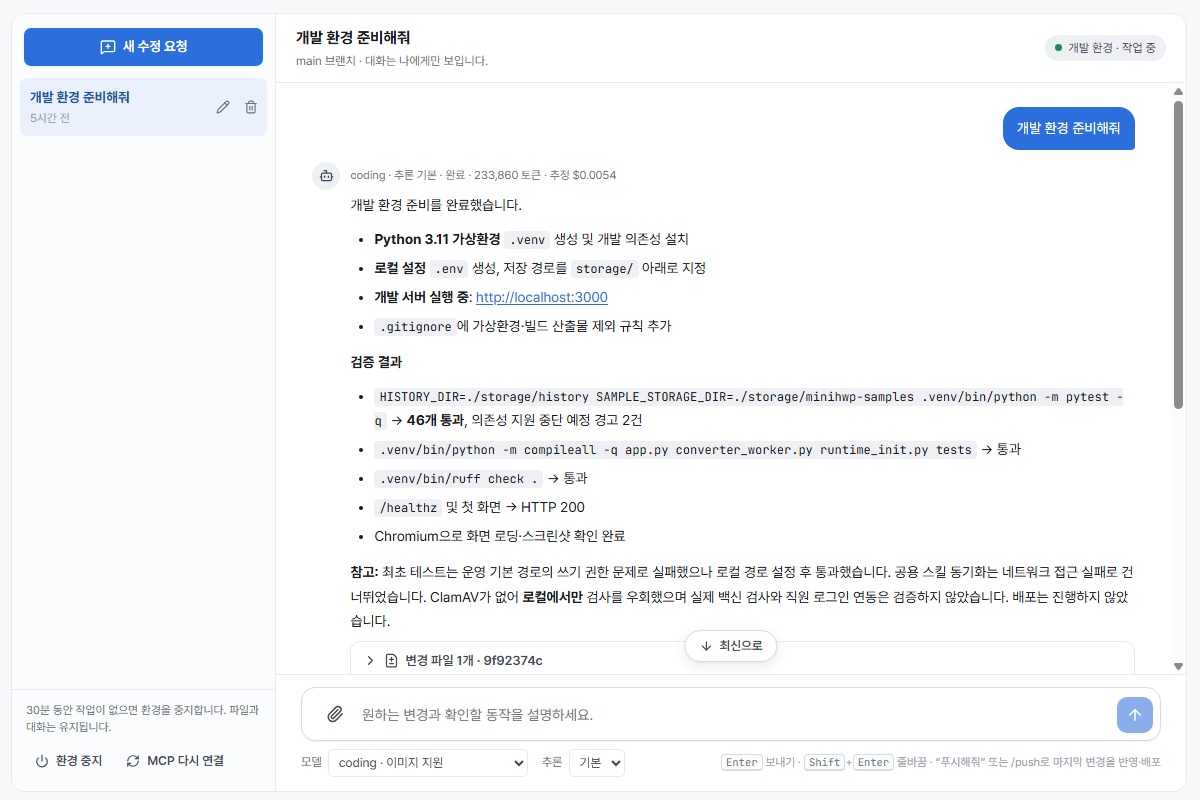
Choose a development model and reasoning level, and attach supporting files. Review the results, changed files, code diffs, and command history in the same interface.
Review the Changes, Then Deploy
When the work is ready, use Review Changes and Deploy to inspect the results and decide whether to apply them. Applying the code starts deployment of the production app through your existing CI/CD workflow.
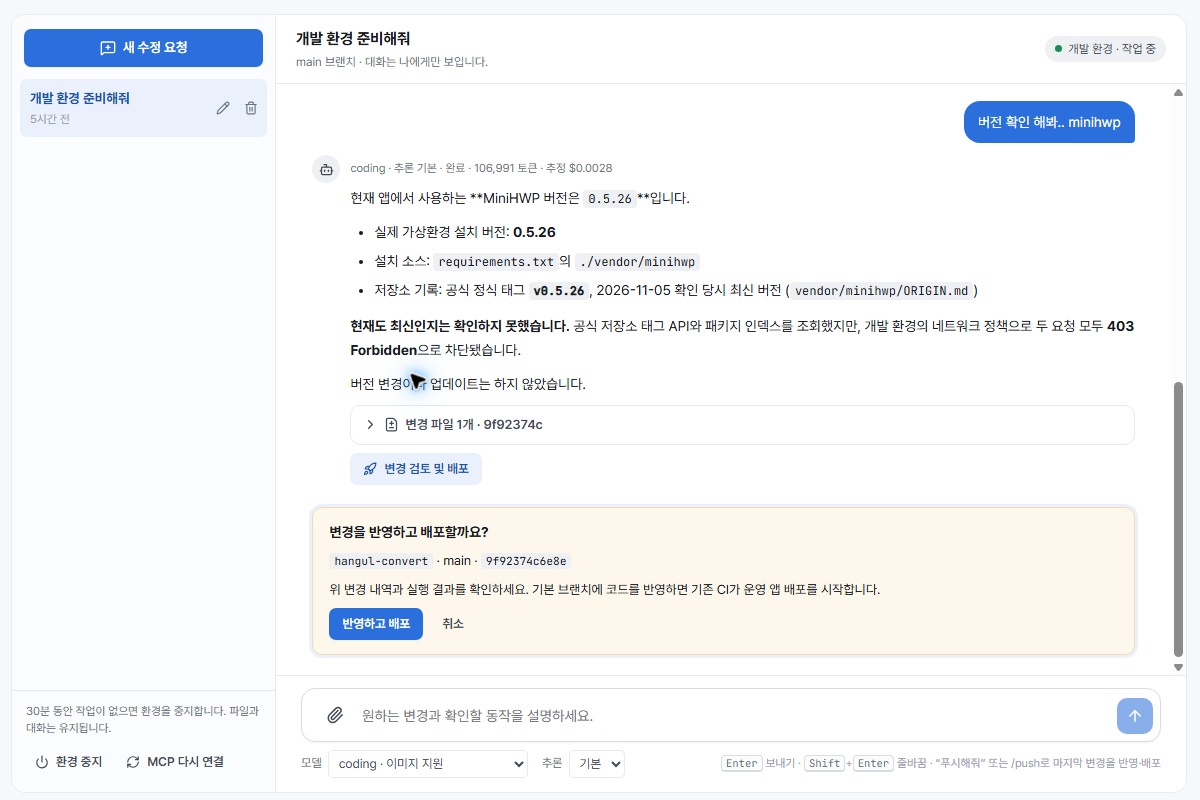
Request → Develop on the server → Review changes → Deploy
Spend less time on setup and more time improving the features your team needs.
On desktop or mobile, start right in MiWork VibeHub with the new web coding agent.
The hero is a feature illustration. The screenshots show the actual product with its Korean UI. The deployment screen is a pre-execution confirmation; no code was applied or deployed while capturing these images.
Subscribe to new posts
Follow new posts through the RSS or Atom feed.
Reactions and comments
Sign in with GitHub to comment and leave a reaction (like). Comments and GitHub usernames are public; editing, deletion, and reporting are handled through GitHub Discussions.